On this page
- What an agent does differently#
- Help text is the manual#
- Errors say what happened, why, and what to run next#
- Output is a contract#
- Arguments and flags are the API#
- Non-interactive when no one is there#
- Authentication: OIDC and OAuth for a tool that runs anywhere#
- The three flows#
- The command set#
- Storage, precedence, and scopes#
- A device-flow login in thirty lines#
- The checklist#
- The question I now ask#
curl -s https://jedarden.com/notes/cli-design-for-humans-and-agents.md A worker spent forty minutes on a one-line change to an issue tracker. The command was right. The flag was wrong: --notes replaced the whole notes field instead of appending to it, and the help line never said so. The agent wrote its note, erased a colleague’s investigation, noticed the field looked thin, and “fixed” it by writing a longer note. Three times.
A person would have squinted at the first result and gone looking for an --append flag. The agent did what the help text told it was possible and nothing more, because the help text was the only manual it had.
Every CLI you ship now has that second user. It discovers the tool by running --help, parses stdout as data, treats the error message as its only hint about what to try next, and cannot type an answer when you ask it a question. Design for that user and the human gets a better tool too. The rules are mostly the ones clig.dev wrote down for humans years ago; the agent audience just removes the tolerance.
A person squints past a vague error. An agent loops on it.
What an agent does differently#
Six things, and each one turns a nice-to-have into a requirement:
- It learns the tool from
tool --helpandtool <command> --help, not from a docs site it may never fetch. - It cannot answer a prompt. A confirmation question hangs the task until something times out.
- It reads output literally, so a spinner, a pager, or an ANSI escape is noise it has to work around.
- It retries on failure. An error that does not say what to change produces the same wrong call again.
- It copies values from one command into the next, so anything printed, including a secret, ends up in a transcript.
- It runs in CI, over SSH, and inside sandboxes with no browser and no keychain.
The payoff is symmetric. A CLI that satisfies those six points is one an agent can drive unsupervised, and it is also the one a new teammate can pick up without reading the wiki.
I’ll use a hypothetical issue tracker called trk for the examples. Every rule below is one I’ve either enforced in a tool of mine or paid for by not enforcing.
Help text is the manual#
An agent’s first command is tool --help and its second is tool <command> --help, and it will rarely look anywhere else. Help therefore has to be complete at every level, identical in shape across commands, and free to call.
-hand--helpboth work on every command and subcommand, print to stdout, and exit 0. Help on stderr with exit 1 reads as a failure to anything scripted. Don’t reuse-hfor something else.- Help needs no login, no network, and no config file. If
tool --helpfails because the user is not authenticated, the agent cannot learn how to authenticate. - Examples come first, and every command has at least one. Agents copy examples; they fall back to the usage grammar only when no example fits. Show the common call, then one that uses the flags that change behavior.
- Every flag line states its value type, its default, and the environment variable that can set it.
--region <name> default us-east-1, env TRK_REGIONis enough. - Say what a flag does to existing state when it is not obvious. An agent assumes
--notesappends. If it replaces the whole field, the help line has to say so, or you get the forty-minute incident above. - List the exit codes and what each means. A documented code is one the agent can branch on; an undocumented non-zero is one it can only retry.
- Missing required arguments print concise help (one-line description, one example, the required flags, a pointer to
--help) and exit 2. Never hang waiting for stdin when stdin is a terminal and nothing is coming. - An unknown command or flag gets a nearest-match suggestion. Suggest, never auto-run.
- Top-level help lists every command with one line each, grouped by task and ordered by frequency, not alphabetically. Mark deprecated commands rather than hiding them, so an agent that finds one in an old script learns the replacement.
- Keep the layout identical across commands: Usage, Examples, Flags, Exit codes, See also. An agent that has parsed one help screen should be able to parse all of them.
A help screen that follows those rules:
$ trk update --help
Update an issue's status, assignee, or notes.

Usage:
  trk update <issue-id> [flags]

Examples:
  trk update TRK-412 --status in_progress
  trk update TRK-412 --append-note "Repro lives in tests/clone.rs"
  trk update TRK-412 --assignee alice --if-revision 7 --json

Flags:
  --status <open|in_progress|deferred>   closed is only reachable via `trk close`
  --append-note <text>                   adds a note; may be repeated
  --notes <text>                         REPLACES every existing note
  --assignee <name>                      env TRK_ASSIGNEE
  --clear-assignee
  --if-revision <n>                      fail if the issue's revision is not n
  --json                                 print the updated issue as JSON on stdout
  -h, --help

Exit codes:
  0 updated   2 usage error   3 issue not found   4 stale revision   5 invalid transition

See also: trk close, trk show, trk schema update
Two additions worth the effort for a tool agents will drive heavily: a schema command (or --help --json) that emits the commands, flags, types, and defaults as JSON, and a man page or help subcommand that renders the same text for people who prefer it. Both are generated from the same definitions as the help screen, so they cannot drift.
Errors say what happened, why, and what to run next#
An error message is the agent’s only feedback channel, so it carries three things: what failed, why, and the exact flag or command that fixes it. Anything less and the next attempt is the same call again.
$ trk update TRK-412 --status in_progress --if-revision 7
error[stale_revision]: TRK-412 is at revision 9; --if-revision 7 is stale
  cause: the issue changed after you last read it
  fix:   trk show TRK-412 --json   # read the current revision, then retry with --if-revision 9
$ echo $?
4
The same error under --json is one object on stderr, with a code that never changes wording even when the prose does:
{"error":{"code":"stale_revision","message":"TRK-412 is at revision 9; --if-revision 7 is stale","fix":"trk show TRK-412 --json, then retry with --if-revision 9","retryable":false,"exit":4}}- Errors go to stderr and stdout stays clean for data, so a pipeline that captures stdout never captures a half-written error.
- Every error has a stable machine-readable code (
stale_revision) alongside the human sentence. Exit codes are the coarse classification; error codes are the fine one. Agents and scripts branch on the code and show the sentence to the human. - Name the offending value and the flag it came from. “invalid value” is useless; “
--status doneis not a status; valid: open, in_progress, deferred (closed is reached viatrk close)” is a fix. - A wrong-state error names the state and the command that leaves it: “TRK-412 is closed;
--statuscannot reopen it. Runtrk reopen TRK-412.” Without that line the agent tries every status value in turn. - A wrong-tool or wrong-version error says so in those words. A tracker store written by version 2 and opened by version 1 should fail with “workspace schema 7 is newer than this binary (schema 5); upgrade trk”, not with a raw “no such column” from the database layer. I watched the generic version of that error lead an agent to apply version 1’s corruption-recovery recipe to a healthy version 2 store, which reinitialized it with the wrong schema. Check a schema marker before touching data, and make the mismatch message name the real cause.
- A permission or policy refusal says whether the caller can fix it. “requires the admin role; ask an operator to grant it” tells an agent to stop and report. “access denied” tells it to try again with different flags.
- Authentication errors name the login path, never the credential: “not logged in to trk.example.com; run
trk auth loginor set TRK_TOKEN”. Distinguish no credential, expired credential, and insufficient scope, and name the missing scope with the command that adds it. - Stack traces are off by default and on with
--debugorTRK_DEBUG=1. Write the full trace to a log file and print its path. A traceback pasted into an agent’s context costs tokens and brings it no closer to the fix. - Partial failure is reported per item. If three of five updates failed, exit non-zero, list the three with their codes, and print the two that succeeded so the caller can resume without redoing them.
- Repeated errors are grouped under one header. Fifty identical lines hide the one that differs.
One small, tool-wide exit-code table, documented in --help and used identically by every command:
| Code | Meaning | What an agent should do |
|---|---|---|
| 0 | success | continue |
| 1 | unexpected failure | report it; do not retry blindly |
| 2 | usage error | re-read --help, fix the call |
| 3 | not found | check the identifier, do not retry as-is |
| 4 | stale precondition | re-read state, then retry |
| 5 | invalid state transition | run the command the message names |
| 6 | not authenticated or not authorized | run trk auth login, or stop if the message says it needs an operator |
| 7 | transient (network, rate limit) | back off and retry |
| 130 | interrupted | nothing |
The split that matters most is retryable against not. A tool that returns 1 for everything forces every caller to guess, and an agent that guesses retries.
Output is a contract#
Treat stdout as a return value that someone will parse and stderr as the channel for everything a person might want to see. Every other output rule follows from that split.
$ trk create --title "Flaky clone test" --json
{"schema":"trk.issue/1","id":"TRK-413","revision":1,"status":"open","url":"https://trk.example.com/TRK-413"}

$ trk create --title "Flaky clone test"
Created TRK-413 (revision 1)
https://trk.example.com/TRK-413- Data goes to stdout; progress, warnings, hints, and success chatter go to stderr.
trk list | jqmust never see a “Fetching…” line. - Every command that produces output supports
--json, including mutations, which print the resulting object. The agent’s next command is built from this output, so always include the identifier and revision it will need. - The JSON schema is stable and versioned. Fields are added, never renamed or repurposed; a removal is a major version. Stamp each object with its schema name (
"schema":"trk.issue/1") or publish it throughtrk schema, so a consumer can detect drift instead of discovering it. - Lists are either one JSON object per line or one top-level array. Pick one per tool and document it. Paginated commands take
--limitand--cursorand return the next cursor in the JSON, never an elided “and 37 more”. - Detect whether stdout is a terminal, and check stderr separately. When it is not, turn off color, spinners, progress bars, column truncation, and prompts.
- Honor
NO_COLORwhen set and non-empty,TERM=dumb, and--no-color; offer--color=alwaysfor the reverse, because some agents run tools through a pseudo-terminal and want neither. no-color.org has the convention. - Never start a pager unless stdout is a terminal, and honor
PAGERand--no-pager. A pager under an agent is a hang with no error message. - Human-readable output is also parseable in a pinch: one record per line, stable column order, and
--plainto drop alignment and decoration for grep and awk. --quietsuppresses success messages, never errors.- Timestamps in JSON are ISO 8601 in UTC. The human format may localize; the machine format never does.
- Secrets never reach either stream, including under
--debug. Print the retrieval path (the environment variable name, the secret store path) rather than the value, and redact anything that looks like a token in debug logs.
The human-first format is still the default, and that is correct: a person who types the command deserves readable output. The agent just needs --help to tell it that --json exists, and the JSON to be worth parsing.
Arguments and flags are the API#
Make every input expressible as a named flag, make precedence explicit, and make sure nothing that has to stay secret ever needs to be a flag value. A flag reads as documentation in a transcript; a bare positional reads as a guess.
Configuration precedence, highest first:
  1. flags            --server https://trk.example.com
  2. environment      TRK_SERVER
  3. config file      ~/.config/trk/config.toml
  4. built-in default
See the effective values: trk config show --json- One positional at most: the noun the command acts on (
trk update TRK-412). Everything else is a flag with a long name, and--flag valueand--flag=valueboth work. - Precedence is flag, then environment, then config file, then default, documented once in
--helpand applied by every command. Aconfig show --jsoncommand prints the effective values so an agent can see what it is about to run with. - A secret is never a flag value. Argument vectors are visible in
ps, in shell history, and in every agent transcript. Accept a file (--token-file), stdin (--with-tokenreading stdin, orkey=-for a field), or the system credential store. Environment variables leak too, throughdocker inspectandsystemctl show; tolerate them for CI, but prefer a pipe or a file. What ends up in docs and tickets is then the retrieval path (“set TRK_TOKEN fromgh auth token”), never the value. -means stdin wherever a file or value is expected, and@pathreads a value from a file. This is what letsopenssl rand -base64 32 | trk secret set app/db password=-run without the value ever existing as a literal.- Replace and append are different flags with different names.
--notesthat overwrites and--append-notethat adds cannot share a flag with a mode switch, because an agent that sees--noteswill use it to add a note and erase the previous ones. --dry-runexists on every mutating command and prints exactly what would change, in the same format the real run prints.--yesskips confirmation prompts. For the most destructive commands, require--confirm <name>with the target’s name instead, so a script can still pass it but cannot pass it by accident.- Every mutation accepts
--if-revision <n>(or an ETag) and fails with the stale-precondition code when the stored revision differs. This is the only thing that makes two agents on the same store safe. Without it the last writer wins and nobody is told. - Argument parsing has no side effects. Reject unknown flags and validate every positional before creating or writing anything. A real binary that took an output path as its first positional was handed
--test-threads=2by a test harness, created a directory literally named--test-threads=2/with 37 generated files in it, and a blanketgit add -Acommitted the lot. - Every command accepts the identifier the tool prints. If
createprintsTRK-413, thenshow,update, andclosetakeTRK-413. Accepting a short form as well is fine; requiring a different form is not. - Flags are order-independent relative to positionals.
trk update --json TRK-412andtrk update TRK-412 --jsonare the same call. --versionprints the tool version and its output-schema versions on one line, to stdout, exit 0, with no network call.- Environment variables share one prefix (
TRK_) and each flag’s help line names its variable, so the mapping is never a guess.
A tool whose flags obey these rules is one where the agent’s transcript doubles as a reproducible script. That is the goal: every call it makes should be one a human could paste and understand.
Non-interactive when no one is there#
Decide once at startup whether a person is present, and if not, never ask a question: fail with the name of the flag that would have answered it. Interactive means stdin and stderr are terminals, CI and TRK_NO_PROMPT are unset, and --non-interactive was not passed.
$ trk --help
trk: issue tracking from the terminal

Usage: trk <command> [flags]

Commands:
  create, show, list, update, close, reopen   work with issues
  auth login|status|token|logout              authentication
  config show|set                             configuration
  schema, doctor                              machine-readable self-description

Agents and scripts:
  Pass --json for stable output. Set TRK_NO_PROMPT=1 to fail instead of prompt.
Run `trk doctor --json` to check auth and connectivity. Exit codes: trk help exit-codes.- A missing input in non-interactive mode is a usage error that names the flag: “
--assigneeis required when not running interactively”. Never block reading stdin that will never arrive. - A destructive command without
--yesfails with exit 2 and names--yes. It does not proceed and it does not prompt. - No browser launch, no clipboard, no pager, no spinner, no update-available banner. Print the URL, print the data, and stop. A banner on stderr is something an agent will try to act on.
- Every network call has a default timeout and a
--timeoutflag. A hang produces no error message, so it is the worst outcome a tool can have. - Mutations are safe to repeat.
createtakes an--idempotency-keyor is keyed by a natural name;closeon an already-closed issue returns 0 with a note, or a distinct documented code. Agents retry on any failure, and a retry that creates a duplicate is a bug they cannot see. - Long-running operations return a job id immediately, with
--waitto block and astatuscommand to poll. Do not make the caller sit on a spinner it cannot read. - Ctrl-C and SIGTERM exit promptly with 130 or 143 and leave no partial state or stale lock behind. Agents kill processes on timeout, so the cleanup path runs more often than you think.
- A lock error names the holder, its PID, and its age, and stale locks clear themselves. “database is locked” is a prompt to wait forever.
- The tool describes itself.
trk doctor --jsonreports the version, whether the caller is authenticated and as whom, which commands support--json, which environment variables are set, and whether the server is reachable. GitLab’s CLI has an open proposal for exactly this shape, including a non-terminal error that points at the JSON-producing alternative. - Top-level help has a short section for agents and scripts: which flag gives stable output, which variable disables prompts, where the exit codes are documented. Three lines are enough; the agent reads them on its first call.
None of this is a separate “agent mode”. It is the behavior any CI job or cron script already needed, applied by default whenever the tool cannot see a terminal.
Authentication: OIDC and OAuth for a tool that runs anywhere#
Choose the login flow from where the tool is running, not from one default: Authorization Code with PKCE and a loopback redirect when a browser is on the same machine, the Device Authorization Grant when there is a terminal but no browser, and a short-lived token from a workload identity when there is no person at all. A long-lived API key pasted into a flag is the option to design out.
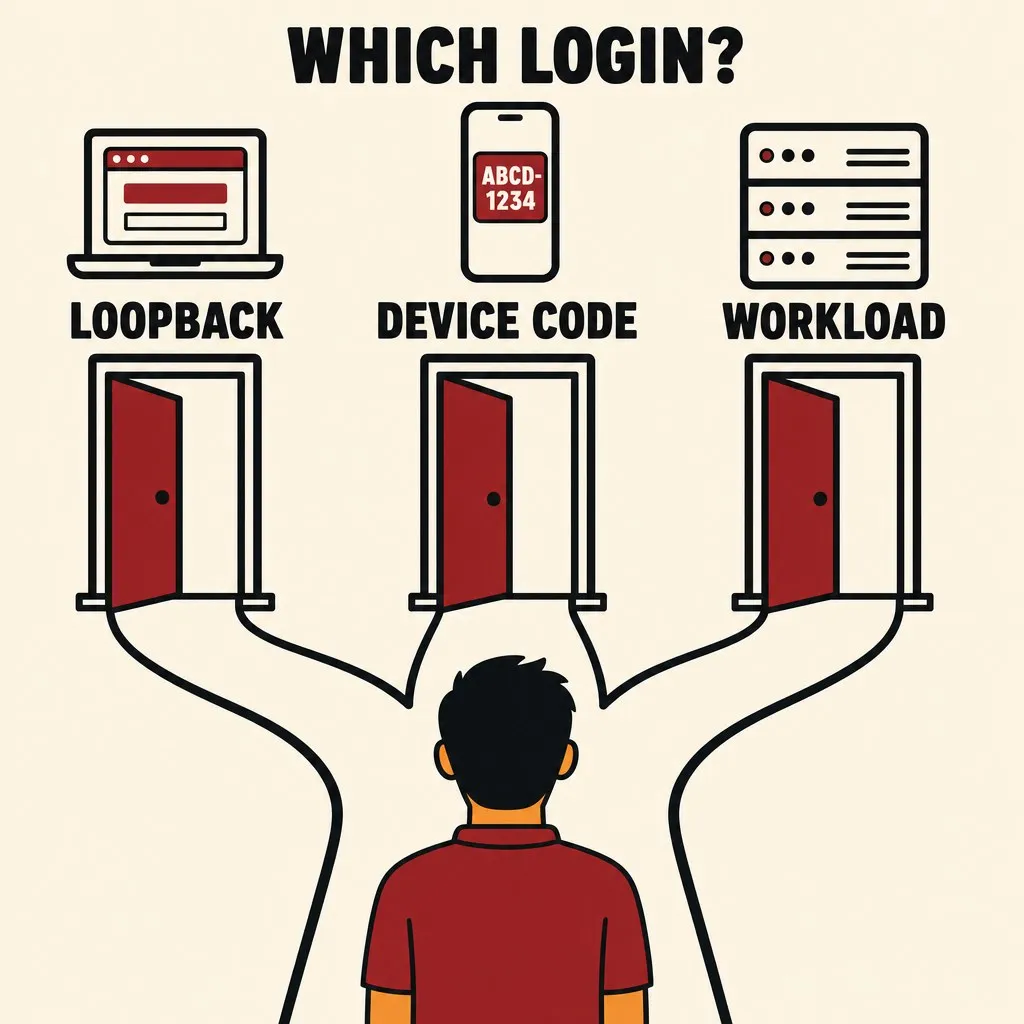
trk auth login
├─ no terminal attached ─────────────▶ workload identity, or an injected short-lived token
│                                       (CI OIDC token, Kubernetes service-account token, TRK_TOKEN)
└─ terminal attached
   ├─ a browser can open on this host ▶ Authorization Code + PKCE, loopback redirect on 127.0.0.1   (default)
   └─ no browser ────────────────────▶ Device Authorization Grant: URL and code on stderr, poll the token endpoint

Flags force a path: --web, --device, --with-token (reads the token from stdin)
A terminal without a browser gets the device grant; no terminal at all gets a platform identity or an injected token, never a device code it cannot hand to anyone.
The three flows#
| Flow | Use it when | What it needs | Main risk | Reference |
|---|---|---|---|---|
| Authorization Code + PKCE, loopback redirect | a person is at a machine with a browser | a listener on 127.0.0.1, an ephemeral port, a browser | low: the code is useless without the verifier, which never leaves the process | RFC 8252, RFC 7636; default in gcloud and in AWS CLI 2.22+ |
| Device Authorization Grant | a terminal but no browser: SSH, a container, a dev VM | a second device where the person can open a URL | device-code phishing: the user code is a bearer for the polling session | RFC 8628; gh auth login, aws sso login --use-device-code |
| Workload identity, token exchange | no person: CI, a cluster, an unattended agent | an identity the runner already has (CI OIDC token, Kubernetes service-account token) | a long-lived fallback token that leaks | RFC 8693; cloud federation endpoints |
PKCE with a loopback redirect is the default for interactive use. The CLI generates a code verifier, opens the browser to the authorize endpoint with the challenge and a random state, listens once on 127.0.0.1:<port>, validates state on the callback, exchanges the code with the verifier, and closes the listener. Bind to loopback only, accept one request, and time out. AWS made this the default for aws sso login in CLI 2.22 and moved device code behind --use-device-code (AWS Developer Tools Blog, 2024-11-18); WorkOS reaches the same recommendation for any enterprise CLI (WorkOS, 2026-05-08).
The device grant is the explicit fallback behind --device, and the automatic choice when no browser can be launched. The CLI requests a device code, prints the verification URL and user code to stderr, polls the token endpoint at the returned interval, adds five seconds on slow_down, keeps waiting on authorization_pending, and fails cleanly on expired_token or access_denied. Because the user code is a bearer credential for that session, keep its lifetime to minutes, and expect some identity providers to block the grant by policy: detect that error and say so instead of polling to the deadline.
Workload identity is the right answer for anything unattended. A CI runner or a pod already holds an identity token from its platform; exchange it for an access token at the identity provider’s federation endpoint so no long-lived secret exists anywhere. Where that is unavailable, accept a token through TRK_TOKEN or --with-token on stdin, keep it short-lived, and document the retrieval command rather than the value. An agent never completes a device flow on its own: it has no one to hand the code to. If it reaches one, it prints the URL and code, exits with the authentication code, and reports that a person has to finish the login.
The command set#
gh is the reference shape (gh auth login manual):
trk auth login [--web | --device | --with-token] [--hostname <host>] [--scopes <s,...>]
trk auth status [--json]        # host, account, token source, scopes, expiry; never the token
trk auth token                  # the one sanctioned way to get the value out, for piping
trk auth refresh --scopes <s>   # widen scopes without a full re-login
trk auth logout # revoke the refresh token at the provider, then clear storageloginpicks the flow by environment and lets a flag force it.--with-tokenreads stdin so the value never touches argv.statusmakes one cheap authenticated call and reports which credential source is active: environment, file, or credential store. “Which identity am I” is the first question when something returns 403, so answer it in--jsontoo.tokenprints the access token and nothing else to stdout, refreshing first if it has expired. It exists so thatcurl -H "Authorization: Bearer $(trk auth token)"works without the value being typed anywhere. Warn on stderr when stdout is a terminal.logoutrevokes at the provider (RFC 7009), not just locally.
Storage, precedence, and scopes#
- Store tokens in the system credential store (Keychain, Secret Service, Windows Credential Manager). Fall back to a mode-600 file under the tool’s config directory only with
--insecure-storageor a visible warning, and never into the config file that people commit. - Store the refresh token, access token, expiry, scopes, and host together. Refresh silently before expiry; when a refresh fails, exit with the authentication code and the login command.
- Precedence is
TRK_TOKEN, then--token-file, then the stored credential, andauth statussays which one won. - Request the smallest default scope set. An insufficient-scope error names the missing scope and prints
trk auth refresh --scopes <name>as the fix. - Register the CLI as a public client with no client secret. A secret compiled into a distributed binary is not a secret.
- Discover endpoints from
<issuer>/.well-known/openid-configurationrather than hardcoding them. With OIDC you also get an ID token: validateiss,aud,exp, andnonce, and use itspreferred_usernameoremailclaim to makeauth statussay who is logged in. Requestoffline_accesswhere the provider requires it for a refresh token. - A command that needs authentication and has none exits 6 with “not logged in to trk.example.com; run
trk auth login(interactive) or set TRK_TOKEN (scripts)”. It never launches a login flow on its own when no terminal is present.
A device-flow login in thirty lines#
import sys, time, requests

ISSUER, CLIENT_ID = "https://id.example.com", "trk-cli"   # public client: no secret
cfg = requests.get(f"{ISSUER}/.well-known/openid-configuration").json()

r = requests.post(cfg["device_authorization_endpoint"], data={
    "client_id": CLIENT_ID, "scope": "openid offline_access trk.issues"}).json()
print(f"Open {r['verification_uri']} and enter code {r['user_code']}", file=sys.stderr)
if "verification_uri_complete" in r:
    print(f"  or open {r['verification_uri_complete']}", file=sys.stderr)

interval, deadline = r.get("interval", 5), time.time() + r["expires_in"]
while time.time() < deadline:
    time.sleep(interval)
    t = requests.post(cfg["token_endpoint"], data={
        "grant_type": "urn:ietf:params:oauth:grant-type:device_code",
        "device_code": r["device_code"], "client_id": CLIENT_ID}).json()
    if "access_token" in t:
        store(t)                      # credential store or a mode-600 file; never printed
        print("Logged in", file=sys.stderr)
        break
    if t["error"] == "slow_down":
        interval += 5
    elif t["error"] != "authorization_pending":
        die(6, f"login failed: {t['error']}")      # expired_token, access_denied, or a policy block
else:
    die(6, "login timed out; run `trk auth login --device` again")
Everything a person needs goes to stderr, the token goes to storage, and stdout stays empty so trk auth login --device && trk list --json composes.
The checklist#
Run this against any CLI before calling it ready for agents. Every line is something a reviewer can verify in under a minute with the binary in front of them.
Help
-hand--helpwork on every command, print to stdout, exit 0, and need no login or network- every command has at least one example; every flag line shows its type, default, and environment variable
- exit codes are listed in help; an unknown command or flag gets a nearest-match suggestion
- replace-versus-append and state-transition semantics are stated on the flag line itself
Errors
- every error says what failed, why, and the exact fix, carries a stable code, and goes to stderr
- exit codes distinguish usage, not found, stale precondition, auth, and transient failures
- a schema or version mismatch is detected before any data is touched and named as such
- stack traces appear only under
--debugand are written to a file whose path is printed
Output
- stdout carries data only;
--jsonexists on every command, including mutations; the schema is versioned - a non-terminal stdout disables color, spinners, pagers, and truncation;
NO_COLORis honored - every mutation prints the identifier and revision the next command will need
- no secret reaches either stream, including under
--debug
Flags
- precedence is flag, environment, config, default, documented once, visible via
config show --json - secrets arrive by file, stdin, or credential store, never as an argument
- mutations take
--dry-run,--yes, and--if-revision; a parse failure has no side effects
Non-interactive
- without a terminal there are no prompts, no browser, no pager; a missing input names its flag
- every network call has a timeout; mutations are safe to repeat; SIGINT and SIGTERM exit cleanly
doctor --jsonexists and top-level help has a short paragraph for agents and scripts
Auth
- PKCE with a loopback redirect by default,
--deviceas the fallback,--with-tokenon stdin auth statusnames the identity and the credential source, never the token- tokens live in the system credential store, refresh silently, and
logoutrevokes at the provider - an unauthenticated non-interactive call exits with the auth code and the login command; it never starts a flow on its own
The question I now ask#
When I’m reviewing a CLI, mine or someone else’s, I no longer ask whether the help text is good. I ask:
If the only things an agent ever sees are
--help, stdout, stderr, and the exit code, can it finish the job without guessing?
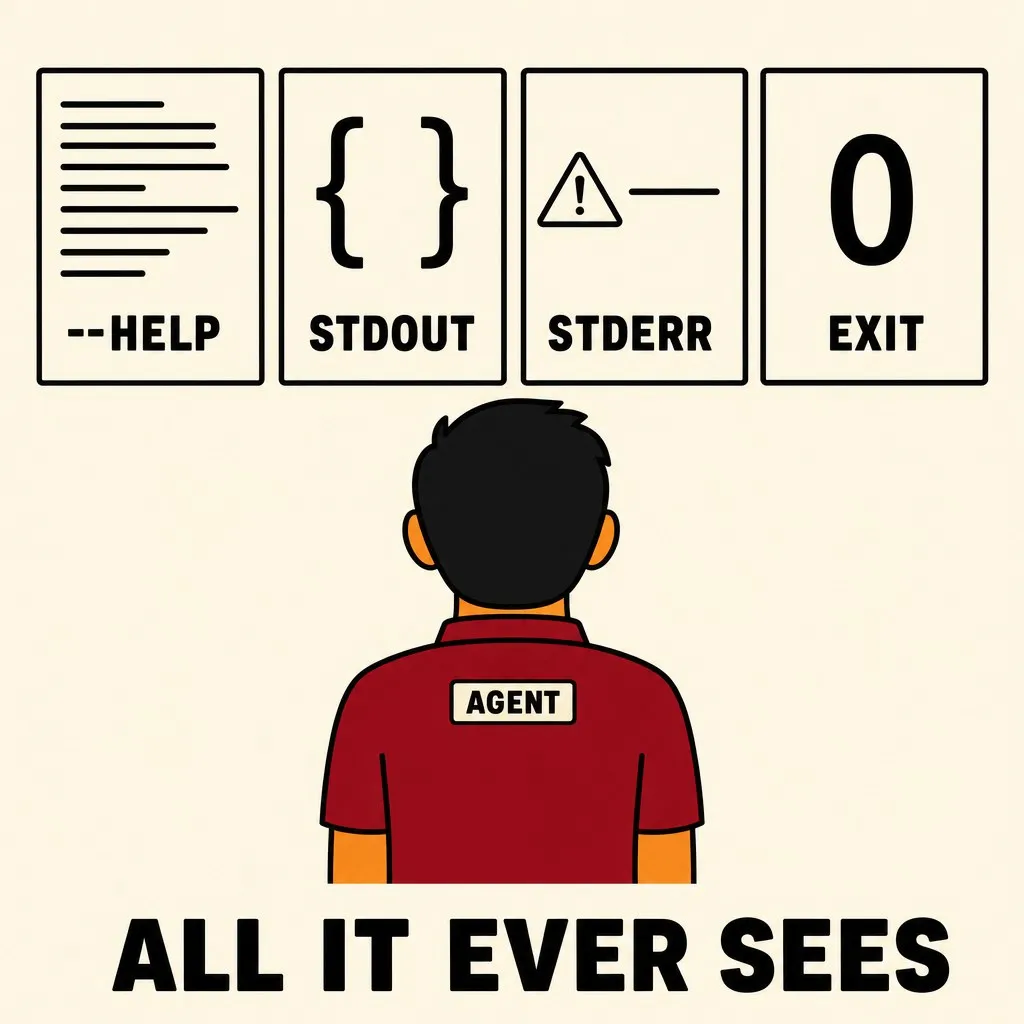
If the answer is “it would need to know that --notes replaces,” or “it would need to open a browser,” or “it would need to read the stack trace,” then the tool has a human in the loop it hasn’t admitted to. Fix the help line, the error, the flag, or the login flow, and the human gets the same improvement for free.
— Jed
References: Command Line Interface Guidelines is the human-first baseline this extends. The auth section leans on RFC 8252 (native apps and loopback redirects), RFC 8628 (the device grant), RFC 8693 (token exchange), and RFC 9700 (the 2025 OAuth security best current practice). Related: ‘Ignore .env’ is not a defense on why a secret’s safety cannot rest on a sentence in a prompt, which is why the flag rules above refuse a secret in argv at all, and A mute gate is worse than a red one on why silence from a tool is the failure you don’t get told about.